© 2025 MPC Club – Mobile Programming Club. All rights reserved.
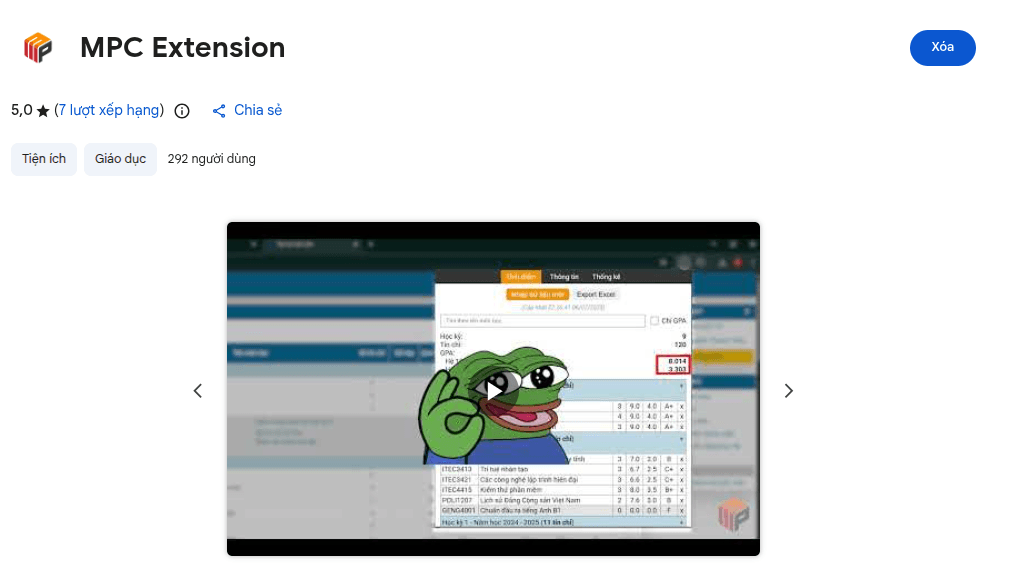
MPC Extension is a browser extension developed by the programming team of the MPC Club. The extension retrieves data from the university's student utility page and presents it visually, helping students track academic results, calculate GPA, plan grades, manage class and exam schedules, and tuition fees, all in just a few clicks.
MPC Extension is a browser extension developed by the programming team of the MPC Club. The extension retrieves data from the university's student portal and presents it visually, helping students track academic results, calculate GPA, plan grades, manage class and exam schedules, and tuition fees — all in just a few clicks.
The project was built from the experiences and feedback of multiple generations of students, and is developed as open source.
👉 Install: j2c.cc/mpc-extension
💻 Source code: github.com/mpc-ou/mpc-extension
Can't view the video? Watch directly on Facebook.
During their studies, students often face familiar difficulties:
MPC Extension brings this information together in one place and presents it clearly and easy to follow.
The extension consists of two parts:
Data is retrieved directly from the corresponding pages on the student portal while you are logged in, so you don't need to re-enter information manually.
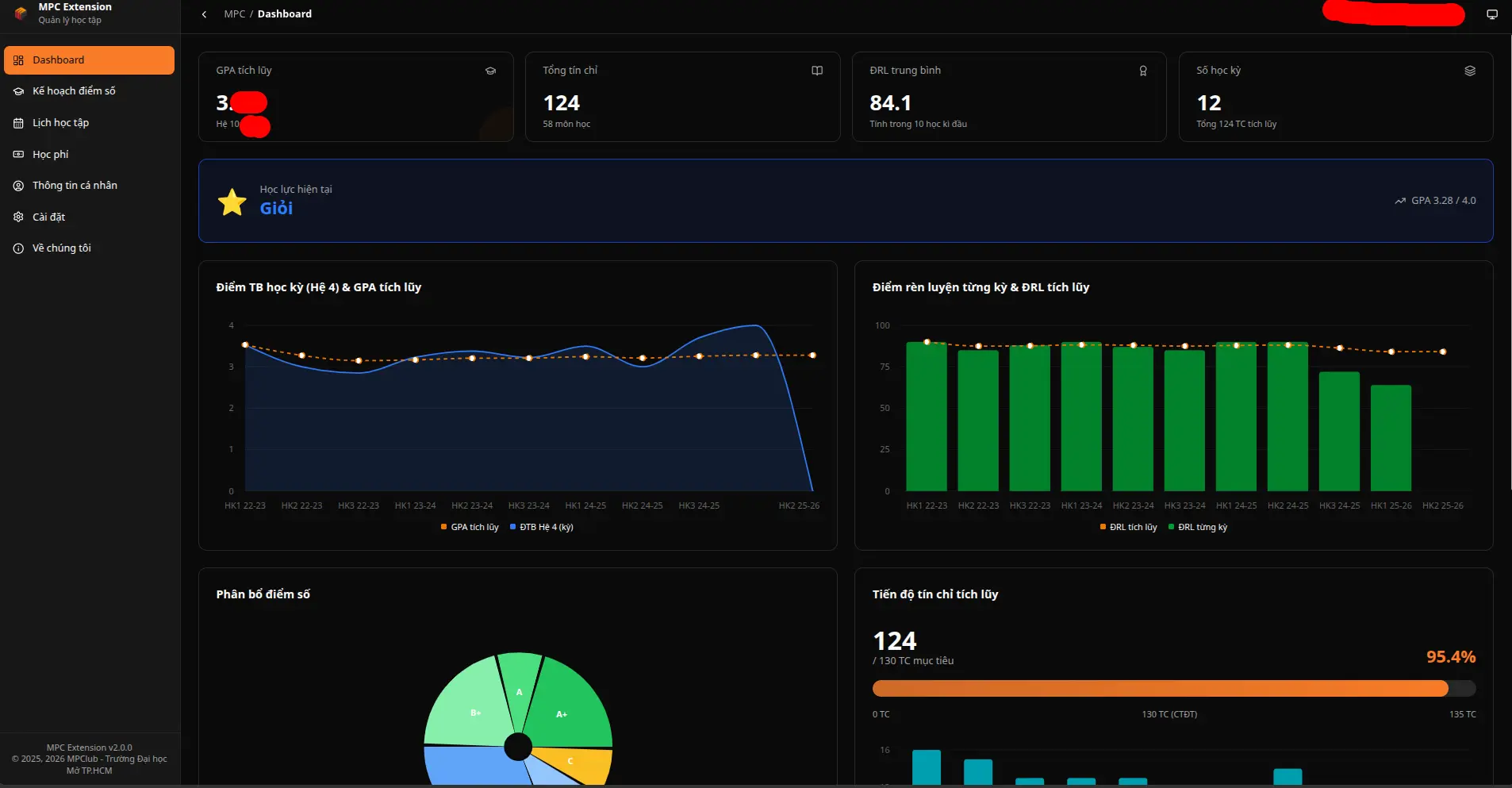
The Dashboard page consolidates all academic information through visual metrics and charts, helping you quickly grasp your academic situation.
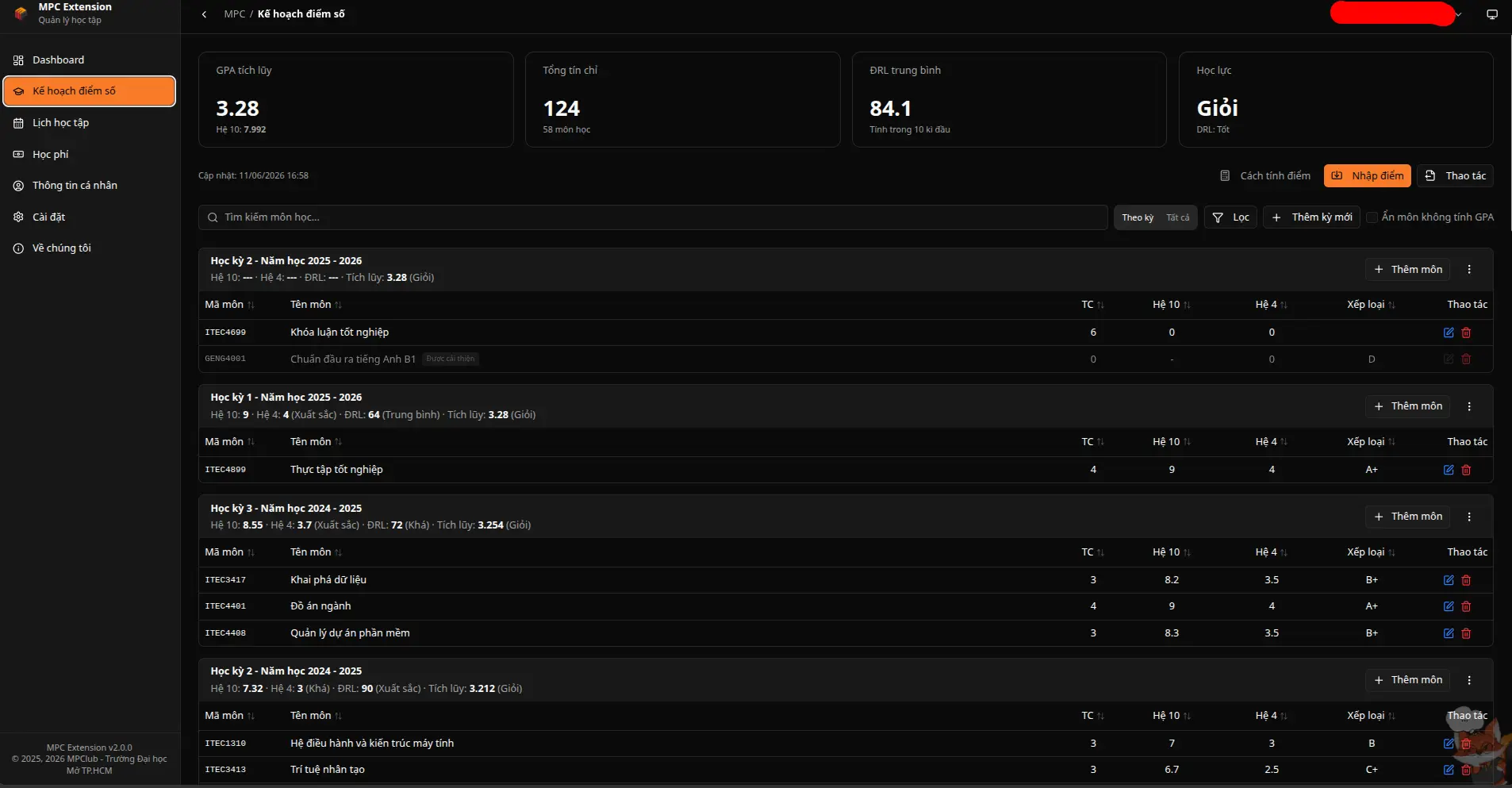
This is the core feature of MPC Extension. After entering your transcript, the extension automatically calculates:
You can try modifying grades for each course to see how GPA and classification change, so you know exactly how many points you need to reach your desired milestone.
How to enter your transcript:
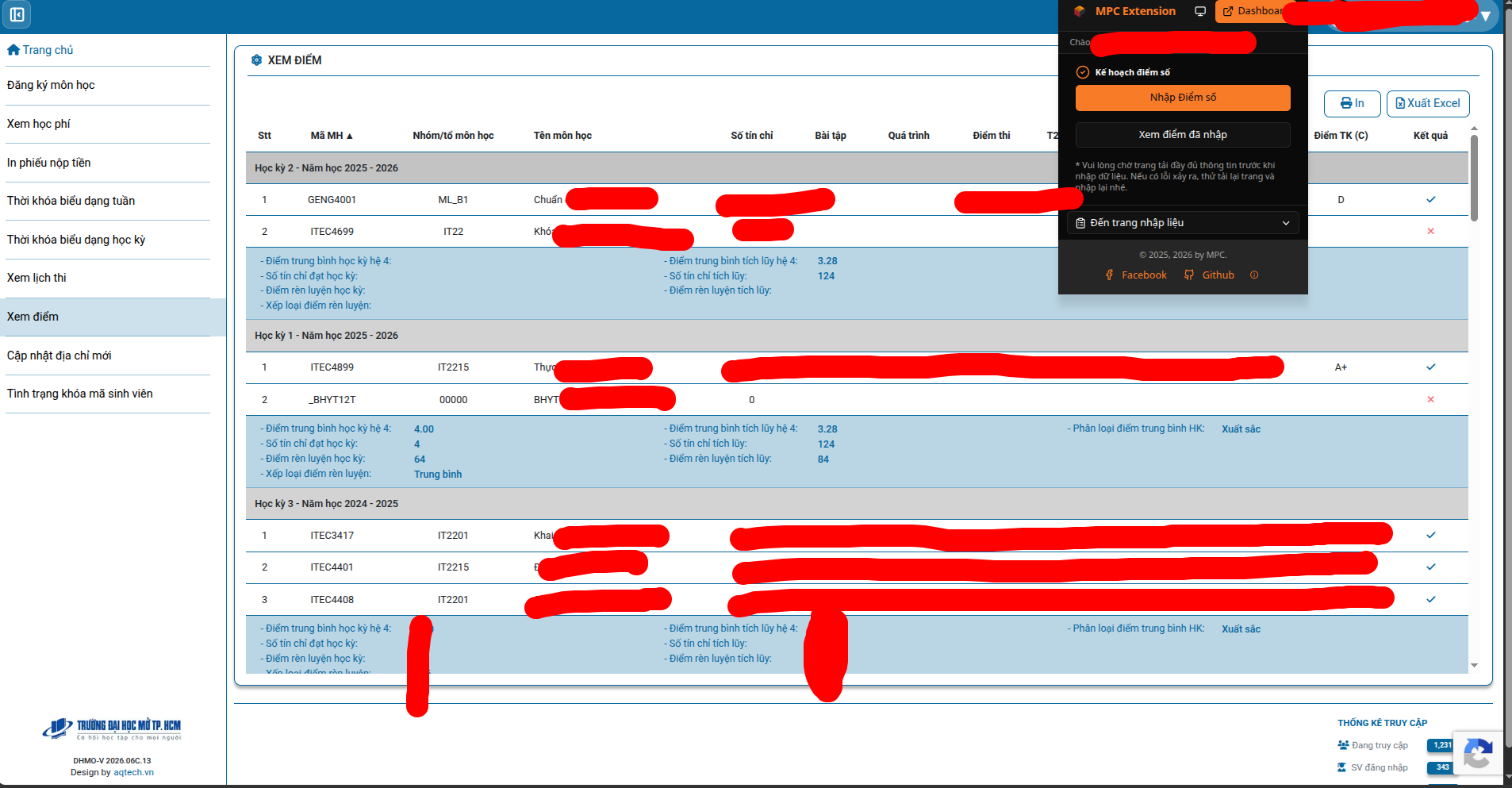
💡 If you encounter an error with automatic import, you can enter grades manually using the extension's Excel template file.
In the bottom right corner of the screen there is a small fox mascot. When clicked, the extension will:
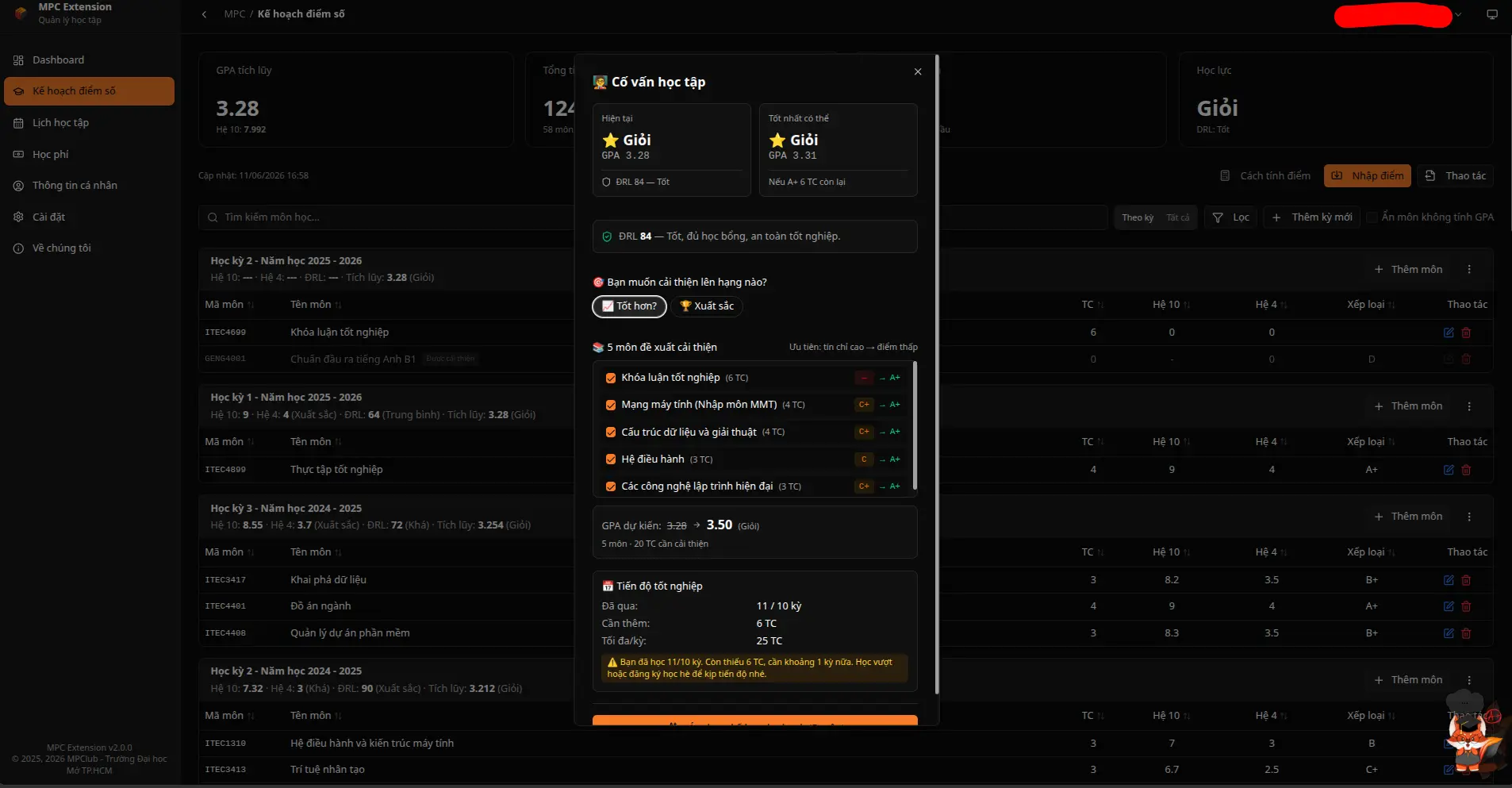
⚠️ The metrics and suggestions are for reference only. Official results are based on the University's data and regulations.
The extension automatically retrieves time, course, room and displays them as a visual calendar.
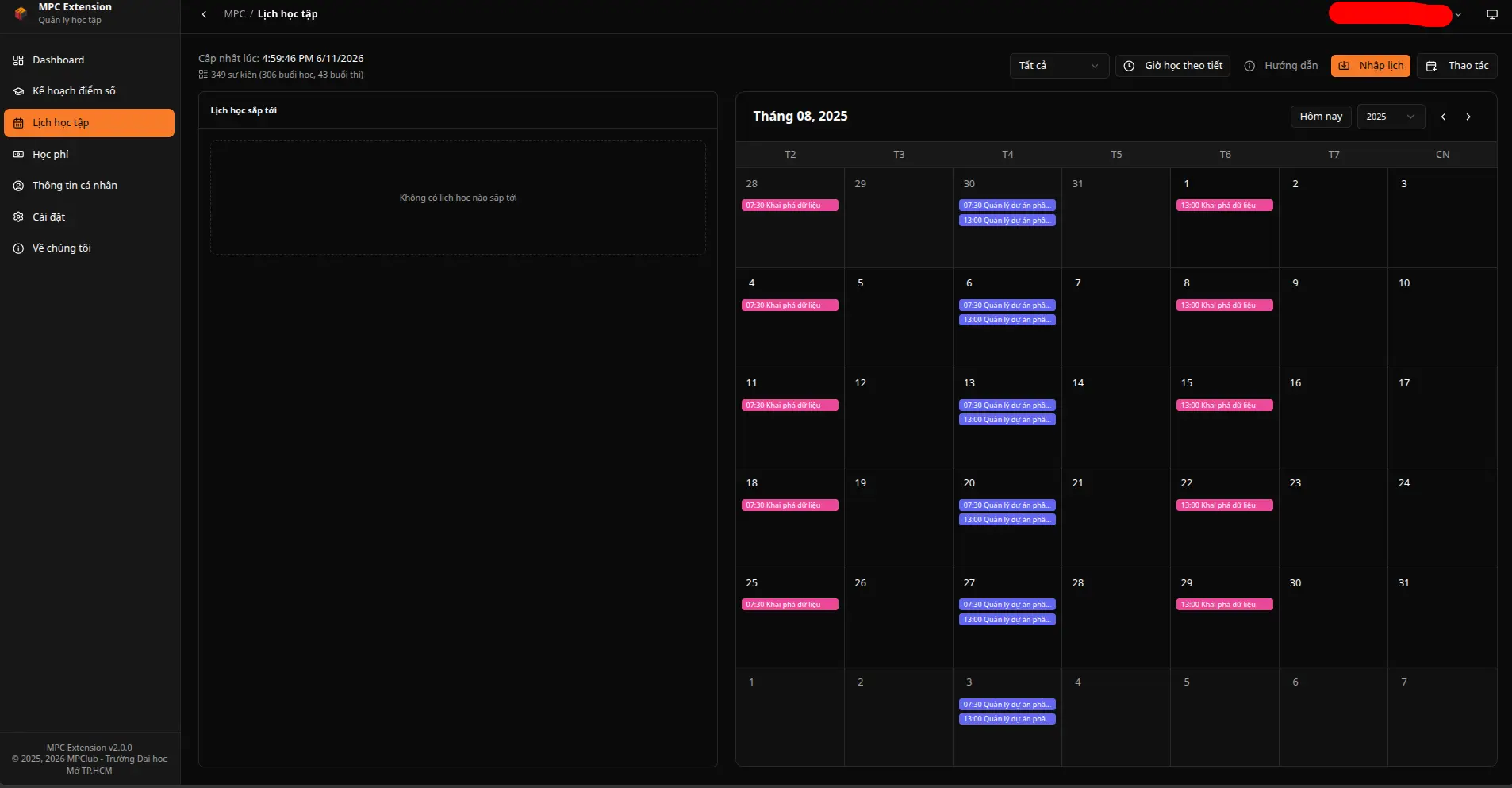
How to import schedules:
Sync to Google Calendar:
.ics file from the action button..ics file and click Import.After that you can view your class and exam schedules on your phone anytime, anywhere. 📱
Track your tuition overview across semesters clearly.
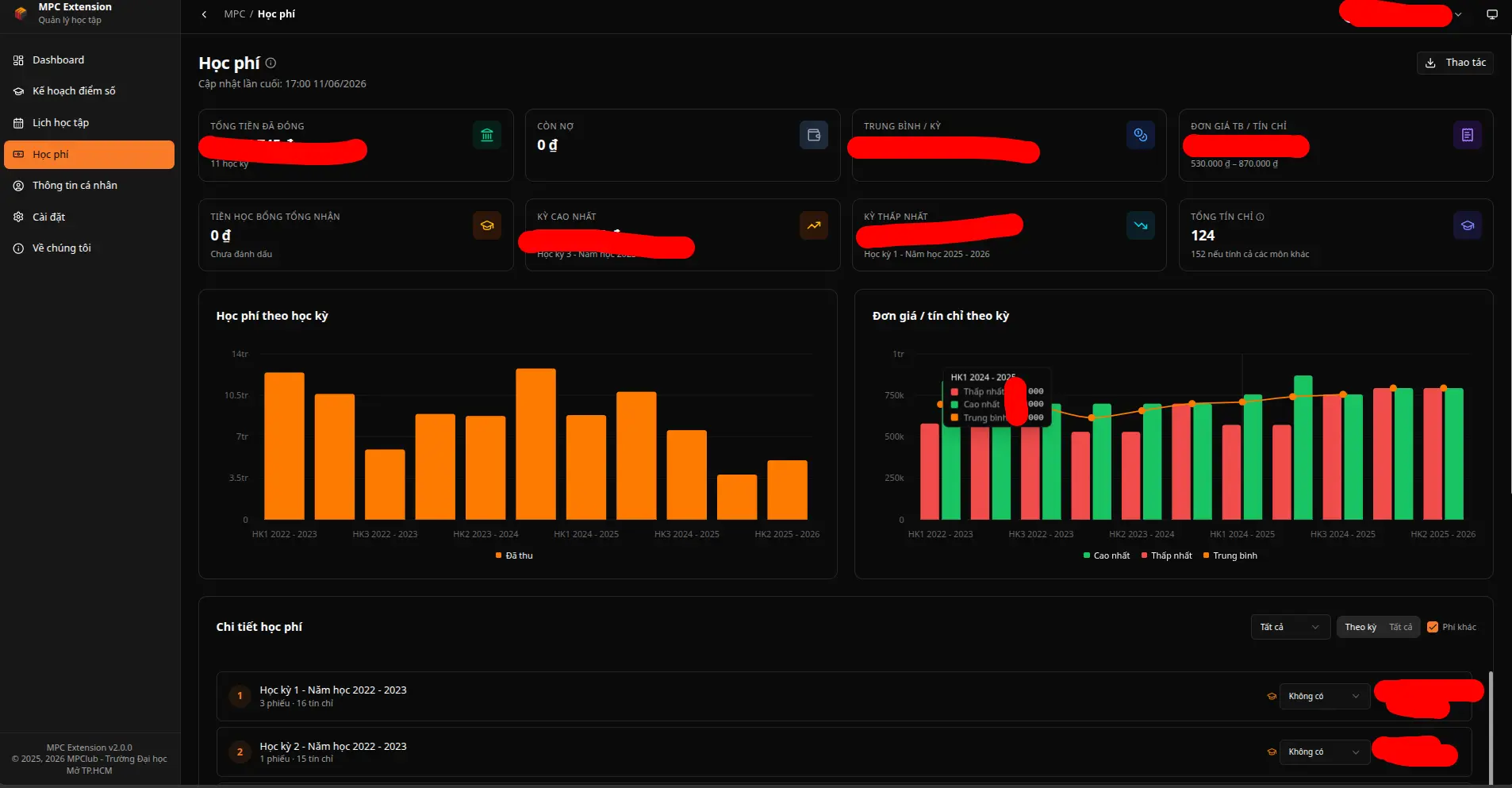
Customize the extension to suit your habits and usage needs.
MPC Extension is a product built by students, for students. The development team hopes the extension can:
All feedback from Teachers is great motivation for the MPC team to continue improving the product.
MPC Extension is still being developed by the Club's dev team. You can accompany the project by:
